Connect Claude Code with a local token
Separate model consumption from official account supply and verify tool execution.
Two different Claude workflows
A consuming Claude Code calls models through the local PrimeRouter endpoint and local key. Supplier synchronization lets Partner Client read an official Claude Code login and supply that upstream account. A local consumption key is not an official OAuth credential.
Use separate configuration environments if you do both jobs.
Desktop import
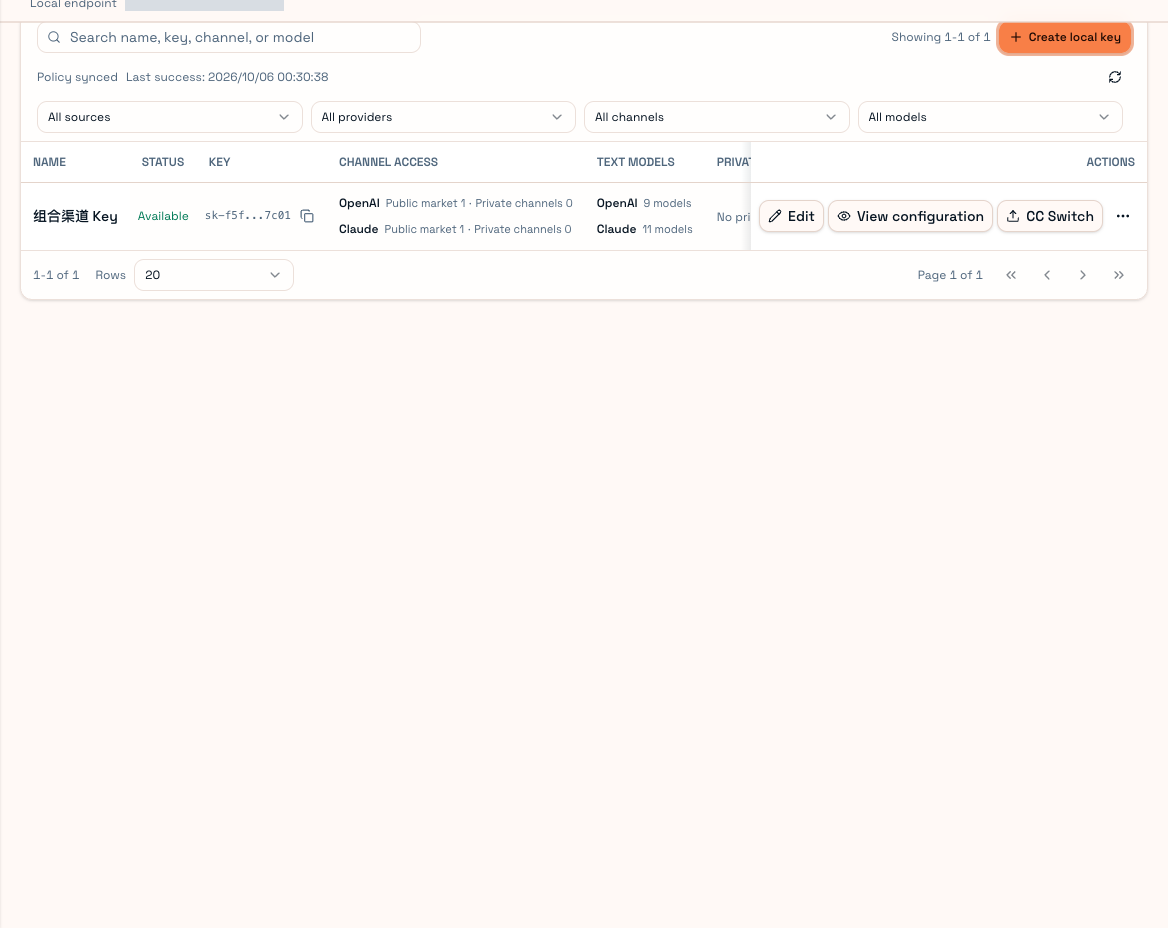
In User Client Local keys, choose the Claude Code key, open Import local Agent and select Claude Code. Inspect model, target file and environment changes, apply, then restart Claude Code. The Client creates a backup.
Both process environment and settings files can affect Claude Code. Closing one terminal may not remove conflicting saved provider settings.
Manual environment
Bash example: use the root endpoint, without another /v1.
export ANTHROPIC_BASE_URL="http://127.0.0.1:18000"
export ANTHROPIC_AUTH_TOKEN="YOUR_LOCAL_KEY"
unset ANTHROPIC_API_KEY
claude
Replace the key and check for conflicting Bedrock, Vertex, gateway or custom authorization settings. PowerShell uses:
$env:ANTHROPIC_BASE_URL = "http://127.0.0.1:18000"
$env:ANTHROPIC_AUTH_TOKEN = "YOUR_LOCAL_KEY"
Remove-Item Env:ANTHROPIC_API_KEY -ErrorAction SilentlyContinue
claude
Changes affect that environment and newly started processes. Restart existing sessions. When using file import, follow the Client preview instead of maintaining several conflicting settings.
If you also supply an official account
Set a separate CLAUDE_CONFIG_DIR for consumption if needed. Keep official login, provider settings and Partner detection separate. Do not delete credential files or Keychain entries without understanding the source.
If Partner reports a non-official provider, inspect gateway settings before repeatedly uploading the same credentials.
Choose a permitted model, test a short response and a temporary project's file-read tool call. Request source can differ between CLI, IDE, SDK and Desktop. Model/context availability depends on the selected channel and final plan; a local extended-context toggle does not grant capacity. See Routing and Troubleshooting.