

Passwords, platform keys and local keys
Know which credential goes where and what disabling or removing it changes.
Which credential goes where?
| Credential | Where it comes from | Where to use it |
|---|---|---|
| Website password or external login | Website account setup | Website sign-in |
| User API Key | Website API keys | User Client sign-in |
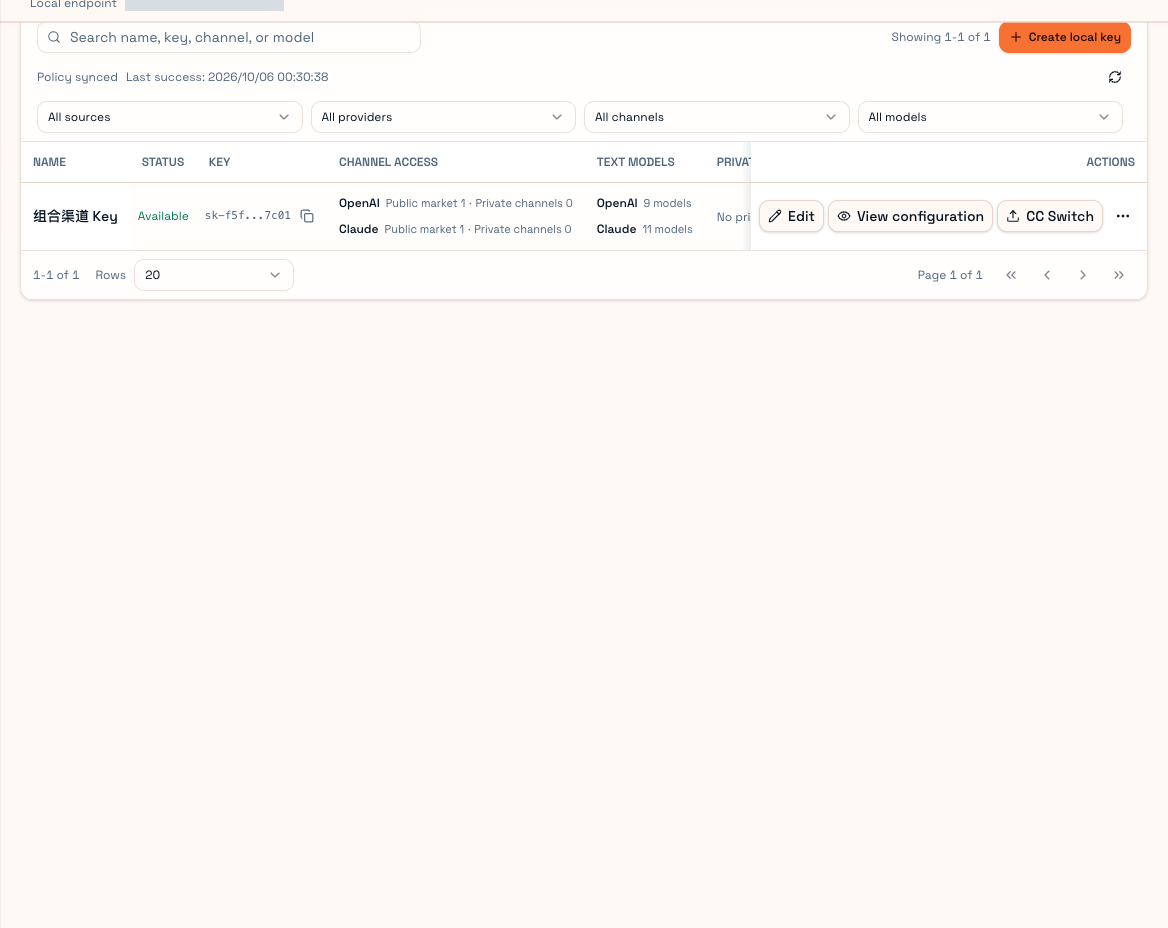
| Local API key | User Client Local keys | Codex, Claude Code, other tools and HTTP calls |
| Partner API Key | Partner console → Partner API Key | Partner Client sign-in |
| Upstream login credentials | Official CLI login or account authorization | Partner account connection workflow |
These credentials are not interchangeable. A Partner key is not a User key. Do not give model-consuming tools your upstream account credentials.
Why create local keys?
Use one local key per tool so you can name, restrict and remove them independently. The platform key supplies the website permissions, price policy and budget. A local key can narrow that scope; it cannot enable a model forbidden by the platform key.
If a credential leaks
- Identify its type.
- For a local key, delete it and issue a replacement for the tool.
- For a User platform key, disable or delete it on the website and reconnect the Client with a replacement.
- For a Partner key, follow that page's replacement rules and sign the affected Partner Clients in again.
- For upstream credentials, reauthorize through the official account system and check supply authorization.
Never include complete keys in screenshots, support messages or repositories. Request ID, error type and time are normally enough for troubleshooting.
Removing local data
User Client's account-data removal deletes that account's credentials, local keys, trust policy and local records on this device and signs it out. It does not delete the website account or automatically disable its platform key. You must sign in again and create local keys before using that device again.
Read Partner's cleanup confirmation carefully and check whether remote accounts remain scheduled. See Account health and Updates and storage.