

Usage records and receipts explained
Find a request and distinguish local diagnostics, platform usage and final settlement.
Website and Client scopes differ
Website usage queries your account's platform records. User Client scopes usage to this installation and the current management account; it does not automatically show every computer's records.
The Client incrementally syncs and persists records for offline viewing. During an outage, cached records are not a complete live view; check sync state and time.
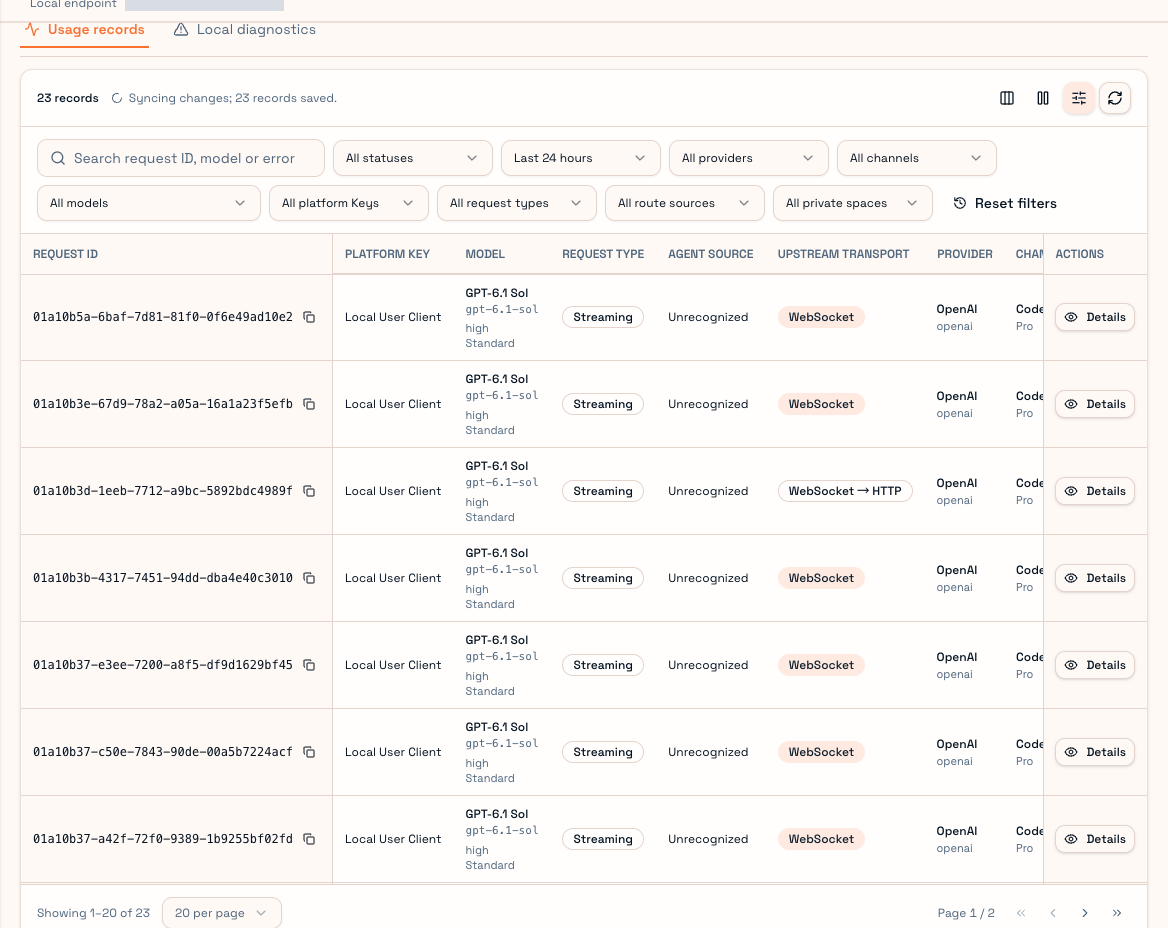
Locate a request
Narrow the time range, then platform key, model or channel. Prefer the tool's request ID. Match time, model and key rather than assuming the latest red row belongs to your attempt. Scroll wide tables horizontally and use Details.
| Field | Meaning |
|---|---|
| Status | Forwarding, completed, failed or another progress state |
| Client source | Recognized Agent type or unrecognized |
| Upstream transport | Actual HTTP/WebSocket transport |
| Channel / plan | Selected supply and subscription plan |
| Cache-hit rate | Cache read as a share of all prompt tokens |
| Billing state | Settled, uncharged or awaiting confirmation |
| Input moderation | Whether input review was required and its outcome |
Unrecognized source is not necessarily failure. Forwarding values can be provisional. Missing token information before a receipt is not proof of zero usage.
Receipts and price details
Receipts expose execution and usage evidence, including supplier fingerprint OS, request OS, CWD extraction and path-mapping status. These are diagnostic details, not prerequisites for first use.
Click “View receipt” in the table to open the Signed receipt tab of request details. “Not applicable / Unsupported” in this example means Agent path mapping was not enabled for this request; it does not mean receipt verification failed.
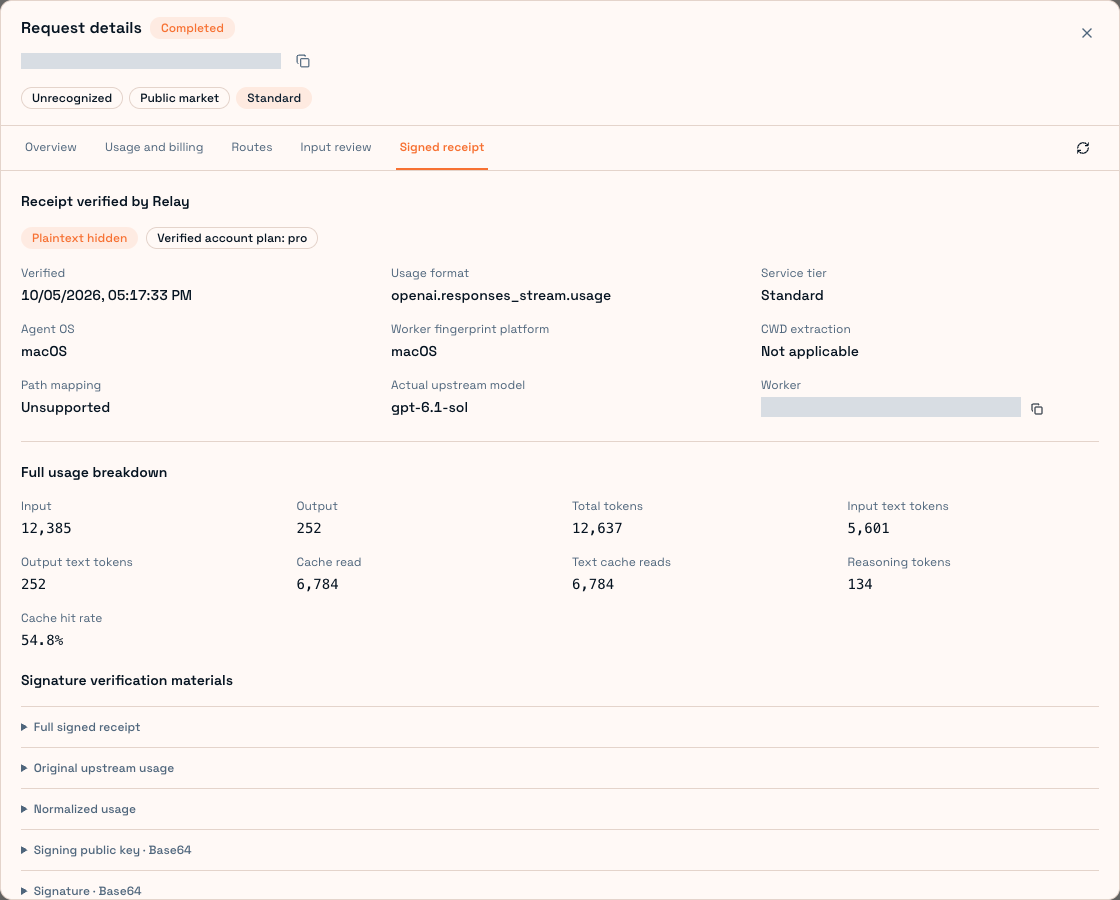
Price details separate uncached input, cache reads/writes, output and images, with actual multipliers and charge state. Check completed settlement before judging the final amount. Raw provider usage and normalized billing fields can differ.
Local diagnostics
A locally rejected key, malformed request or failed route preparation might never become a platform usage record. Local diagnostics on the Client usage page covers this early processing.
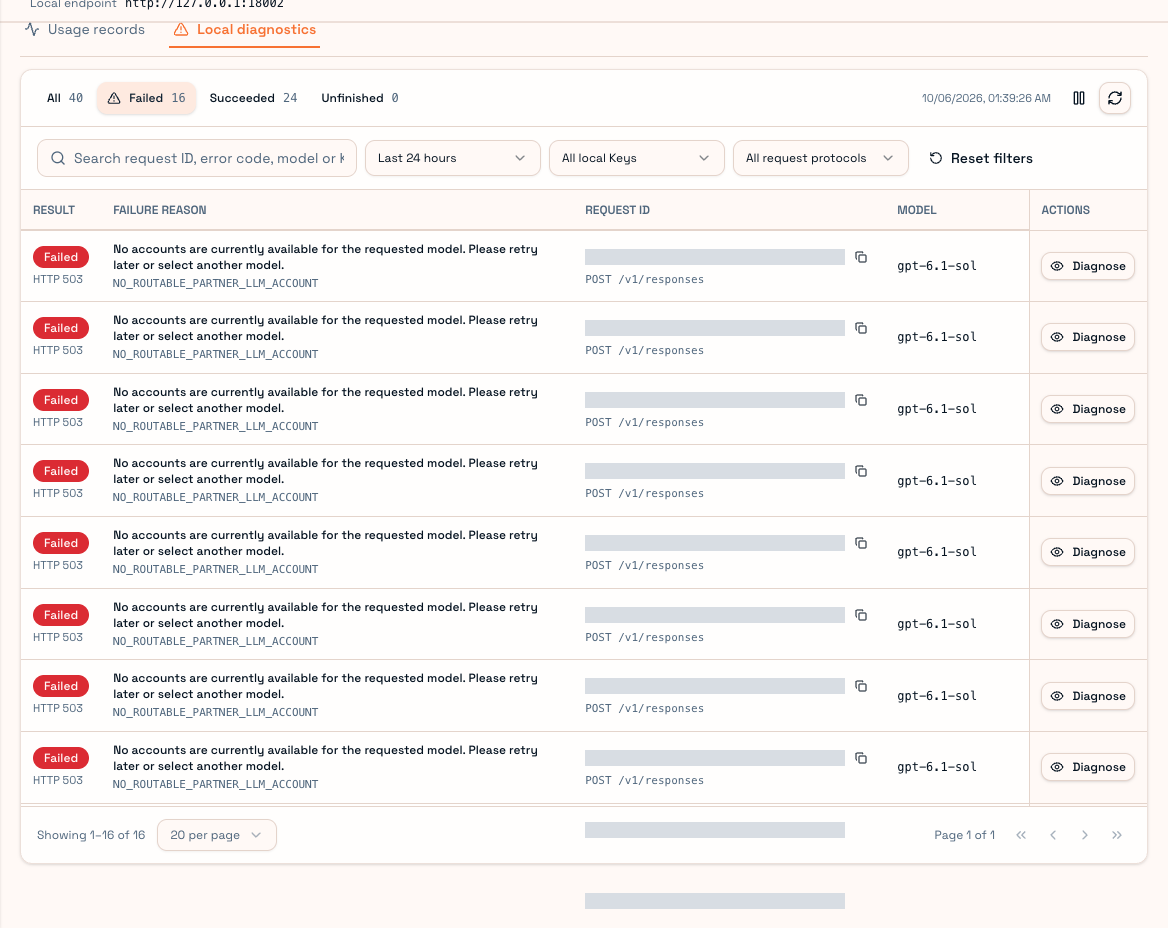
For support, send request ID, time, model and readable error summary without full keys, private prompts or credentials. See Billing and Routing.