

Connect hosted accounts by authorization or import
Choose authorization/import by account type and inspect Worker, egress and state.
Hosted versus local synchronization
Hosted connection uploads the account material needed for maintenance to a selected protected Worker. Claude, Codex and API-key accounts have different formats. Do not force one credential into another type.
Official CLIs renew local synchronized logins. Hosted maintenance follows the channel's supported process; you still manage the upstream subscription and authorization.
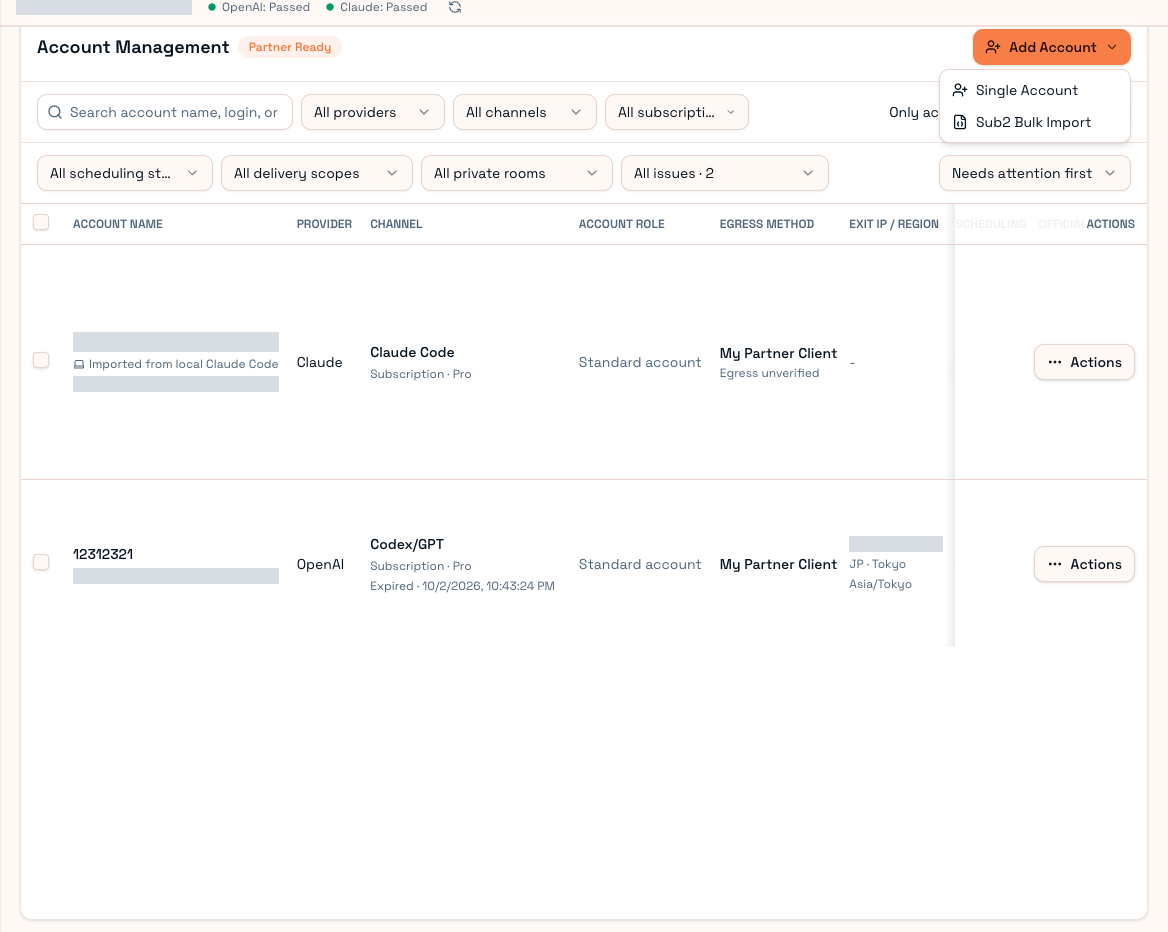
Add account
- Sign in to Partner Client and open Add account.
- Select provider, channel, account type and an available Worker.
- Follow OAuth authorization, credential/token import or supported Sub2 batch import.
- Enter a recognizable label.
- Choose egress/proxy and review public-market scope.
- Submit and wait for registration, credential confirmation and checks; avoid duplicate submissions.
OAuth flow
Generate the authorization link, sign in on the official page, then provide the required code or complete callback URL. State associates the callback with its session. Restart expired sessions rather than mixing codes. Some Codex refresh-token workflows also need the account ID; follow the protected-exit exchange instructions.
Files and tokens
Import files contain sensitive login material. Use only a trusted Client and never publish them. Confirm file source, type and account.
For partial batch success, repair failed items instead of reimporting the whole file. Successful upload alone is not proof of routable accounts.
After import, inspect identity, plan, credentials, authorization, exit, quota, supported models, scheduling and scope. Worker offline/unconfirmed credentials can prevent supply. Reauthorization/takeover should target the same upstream identity and can transfer maintenance ownership.
If moderation accounts are enabled, distinguish them from ordinary supply: available for moderation is not available for normal model routing. Continue with Supply settings and Health.