

Partner quick start: make an account available
Set up access, a Partner key, accounts, prices, guardrails and supply scope.
Importing is not the same as supplying
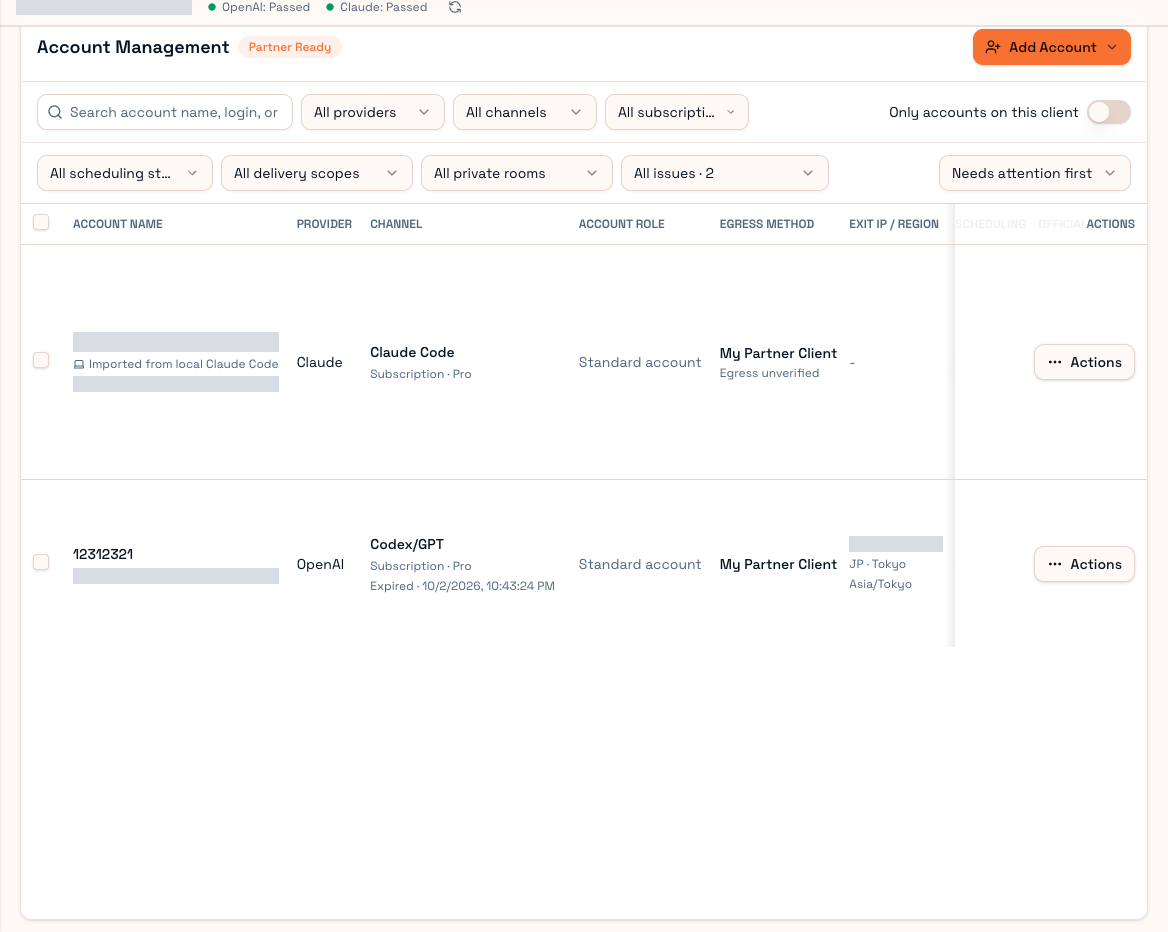
An imported account still needs valid authorization, quota, supported models, eligible pricing, runtime protection, scheduling and a public/private supply scope. Being visible in the list does not guarantee routing.
1. Partner access and key
Confirm that Partner console is available on the website. Ask the operator for permission if it is missing. Create a Partner API Key there and use it to sign in to Partner Client. Do not give this supplier key to model-consuming tools. See Partner keys.
2. Choose account ownership
| Method | Who maintains upstream login | Typical use |
|---|---|---|
| Supply local account | Official Codex/Claude Code renews; Partner synchronizes updated access credentials | An official CLI is already signed in locally |
| Authorized/hosted import | System maintenance according to account type | Accounts uploaded for managed supply |
Local synchronization uses the corresponding Client or configured proxy exit and does not silently fall back to Worker egress. Hosted accounts have separate exit options.
3. Pricing and protection
Configure sale models/multipliers on the website, with channel or plan overrides when needed. Configure concurrency and quota reserves separately. Pricing determines what and at what price; runtime protection determines when to stop accepting requests. See Supply settings.
4. Scope and scheduling
Select the official market, private channels, or both, then enable scheduling. Scheduling plus at least one supply scope starts a five-minute minimum-online constraint. During that period you cannot disable scheduling, remove supply scope or delete the account. Scheduling with no scope does not trigger this supply constraint.
5. Verify availability
Inspect authorization, quota, Worker credentials and availability; use Recent failures for errors. Expiry, offline egress, exhausted quota and guardrails can all pause supply.
Quota query and reset are separate actions. Query first; do not consume a reset card merely to test the interface.
6. Inspect earnings
After a routed request settles, review settlement base, platform fees, net earnings and wallet credit. Enabling an account alone does not generate revenue. Continue with Account health and Earnings.