

User quick start: your first request
Complete website-key setup, routing, a local key and a first tool request.
Before you start
You need a website account, available balance or platform-granted usage allowance, a device running User Client, and a tool supporting a custom API address. Correct configuration cannot create supply where no eligible account exists.
1. Create a User platform key
Open API keys on the website and create a recognizable name such as “Personal coding”. Keep that key for signing in to User Client; do not put it into Codex or Claude Code yet. An existing enabled platform key can be reused.
2. Configure pricing policy
Open Pricing policy for that key. Select your provider, enable its global default if appropriate, enter a maximum acceptable multiplier, confirm the model scope and save.
100% allows quotes up to 1× the base price; it does not guarantee an available supplier. See Pricing policy.
3. Sign in to User Client
Install the Client and enter the platform User API Key. The management menu contains Local keys, Usage records and TEE trust.
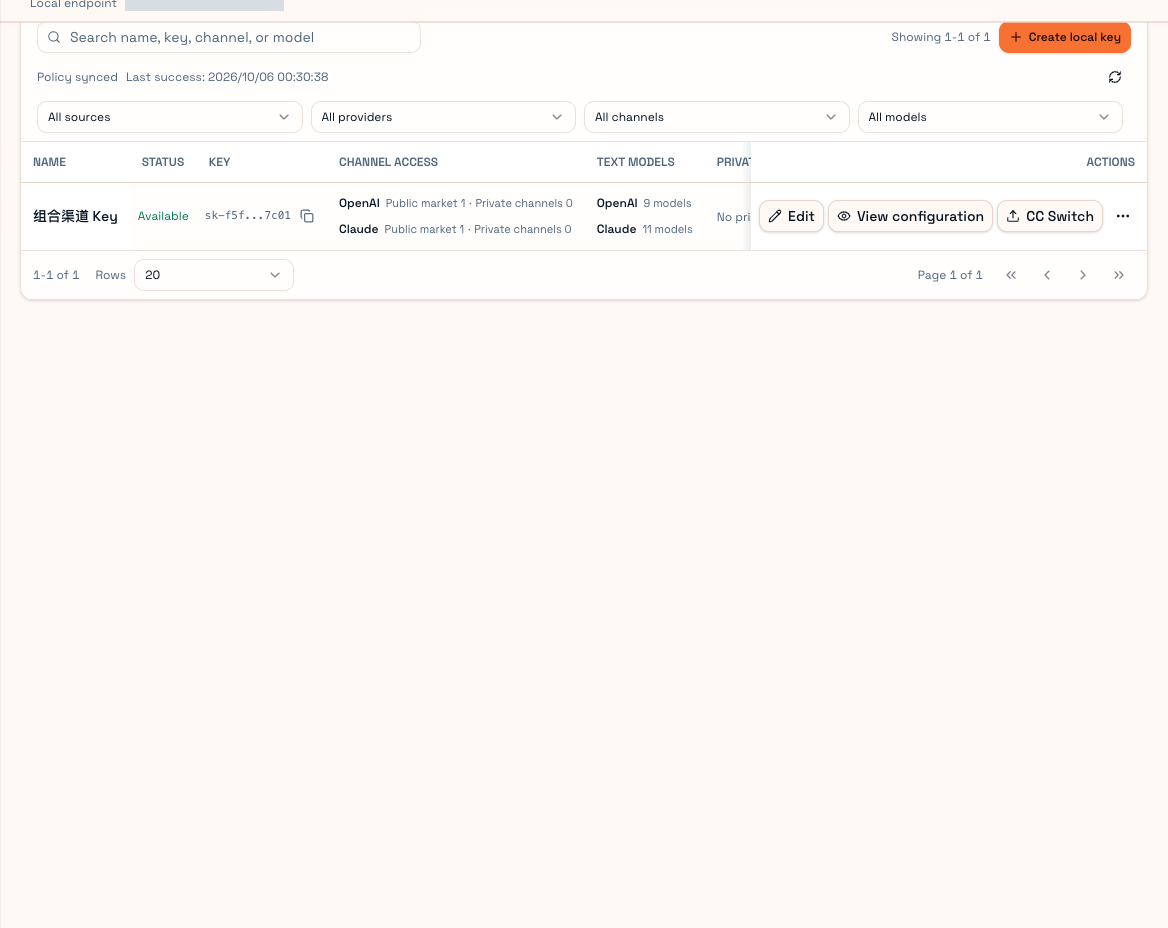
4. Create a local key
Create local key, give it a name, select the tool's allowed channels/models or private scope, and save. This is the API key you give the tool. Local scope cannot exceed the platform key's permissions.
5. Connect your tool
OpenAI/Codex tools normally use the root endpoint plus /v1; Claude Code uses the root Base URL. Use the local key and a model listed as available for that key.
Prefer View configuration or Desktop's Import local Agent. Manual steps are in Codex, Claude Code and Other Agents.
6. Test briefly
Ask for a response containing only “OK”. For coding, use a small temporary project and confirm a tool call actually works. Inspect the matching usage entry for model, channel, status and ownership before a long session. Follow Troubleshooting instead of changing several settings at once.
Successful model output plus a matching record confirms the connection; a coding Agent also needs working local tool execution. Keep User Client running.