

Earnings and withdrawals: request to wallet
Distinguish customer spend, settlement base, fees, net earnings and withdrawals.
Enabled supply is not earned revenue
A request must actually use your account and complete billing/settlement before earnings are confirmed. An enabled account, visible quote or forwarding request is not a credited wallet balance.
Open partner earnings/Partner Payables on the website. Review credited/pending summaries, then filter by time, account, channel or request ID.
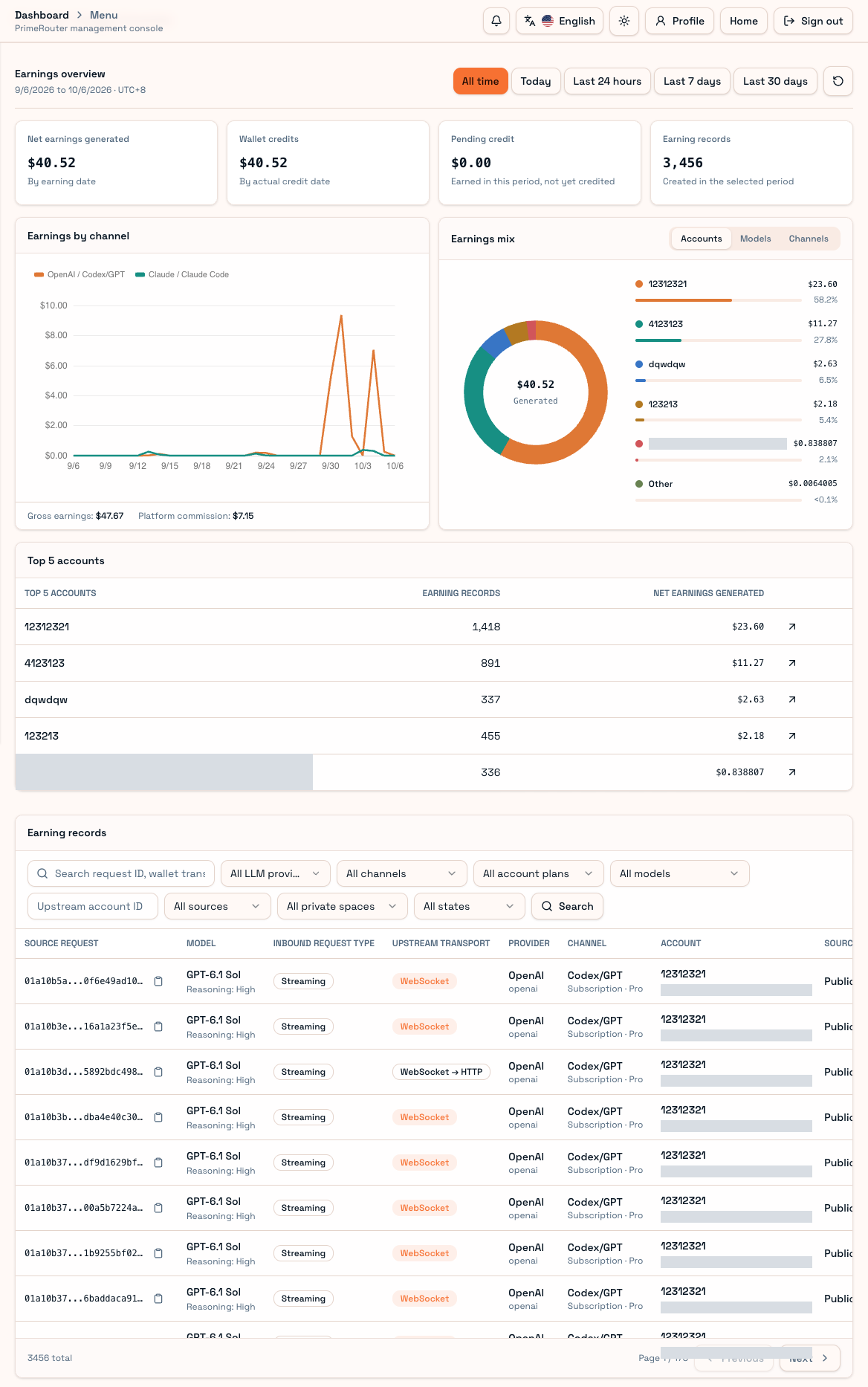
| Term | Meaning |
|---|---|
| Customer spend | Final amount charged to the consumer |
| Settlement base | Amount used for partner settlement |
| Platform fee/commission | Applicable platform deduction |
| Net earnings | Partner amount under that request's settlement policy |
| Wallet credit | Completed wallet entry |
| Pending credit | Awaiting settlement/confirmation, not withdrawable balance |
Customer spend is not automatically your net income.
Reconcile a request
Find its ID, confirm supplying account/model/channel/completion, inspect price and settlement policy, then check settlement status and wallet transaction ID. Match the credited entry in the wallet.
Waiting receipts, pending charges and settlement can be provisional. Recovery can continue pending work; do not create duplicate business entries.
Convert income to codes
Select Convert partner income on the earnings page or Partner Console → Income to recharge codes. Only settled, available income can be converted; pending income and amounts reserved for withdrawals or unrefunded codes cannot be reused. Review value per code, quantity and total before confirming.
Canceled, unredeemed permanent income codes refund their original income account. Redemption credits the recipient's ordinary funds, not the issuer's withdrawal entitlement. See Recharge codes.
Withdrawal
Use the withdrawal interface enabled by the operator. Check available balance, methods, limits and fees; confirm destination details before submitting. Submission is not immediate payout and can require review/processing. Cancellation depends on current state and permitted operations.
Missing withdrawal access can mean missing permission or an unopened feature. Upstream Codex credits are not this wallet balance.
For support, provide request ID, wallet transaction ID, time and the inconsistent amount component, without Partner keys or upstream credentials. High cache rate alone cannot calculate net revenue. See Billing.
Transfer income to ordinary funds
Open Wallet, select Transfer income, enter an amount and confirm. Only settled, unfrozen income is available. A transfer records an income debit and an ordinary credit under one operation. Ordinary funds can pay for model usage but cannot return to income or be withdrawn. Example: transfer 80 from income of 100; ordinary funds increase by 80 and income becomes 20. Spend the 80 and recharge 300; income remains 20, not 100.
Income codes are permanent and cannot be redeemed by their issuer. Sell them to others; use Transfer income for personal spending.