

Partner API Key: create, sign in and replace
Manage supplier credentials and understand one Partner key versus multiple installations.
Purpose
Partner API Key authenticates supplier interfaces, Partner Client, account upload and the relevant exit connection. It is not a local key for consuming models.
Supplier permissions are required. Protected Partner downloads and installation also check current access.
Create and use
- Open Partner console → Partner API Key.
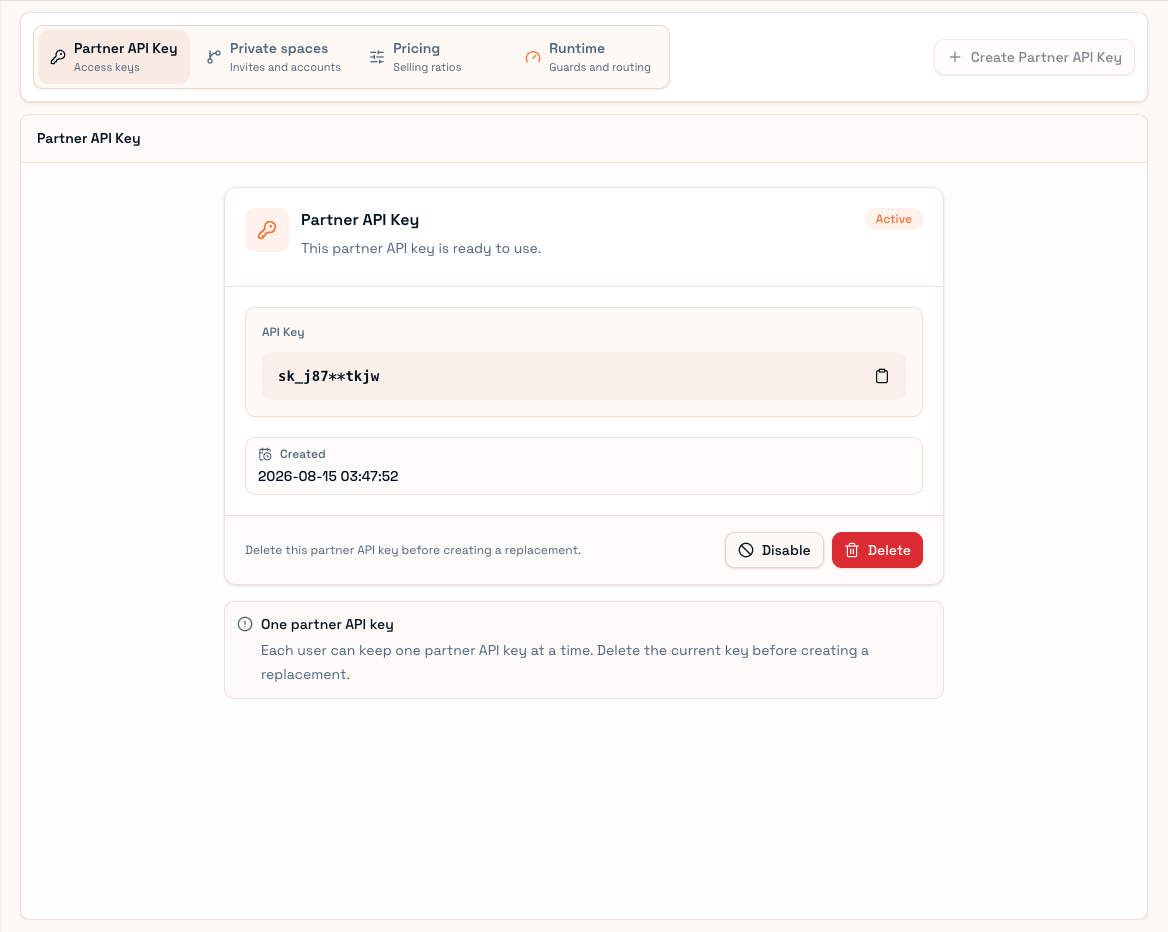
- Create a key if none exists.
- Copy it into your own Partner Client sign-in.
- Confirm the partner identity and account list.
- Consumers joining your room use their own User keys; do not share this Partner key.
One key, different installations
The current policy permits one Partner API Key per user at a time. Client instance identifiers are separate: several devices can have their own instance identity while using the currently valid supplier credential.
A credential taken over by another Client can stop the old Client's automatic maintenance. One shared Partner key does not mean unconditional concurrent ownership of the same upstream credentials.
Disable or replace
Disabling rejects requests authenticated by the key. Deleting makes it unusable; the current replacement flow requires removing the old key before creating another.
Inspect running Clients, local synchronization and egress first. After replacement, sign the necessary Clients in again and verify supply. Do not mistake disconnected devices for upstream account failures.
Keep the key out of public documents, screenshots and Git. For permission errors, check supplier access; for invalid credentials, check key state; for disabled instances, inspect instance management. See Account health.