

Troubleshooting failed requests
Check the endpoint, key, route, supply and verification in a useful order.
Save useful evidence first
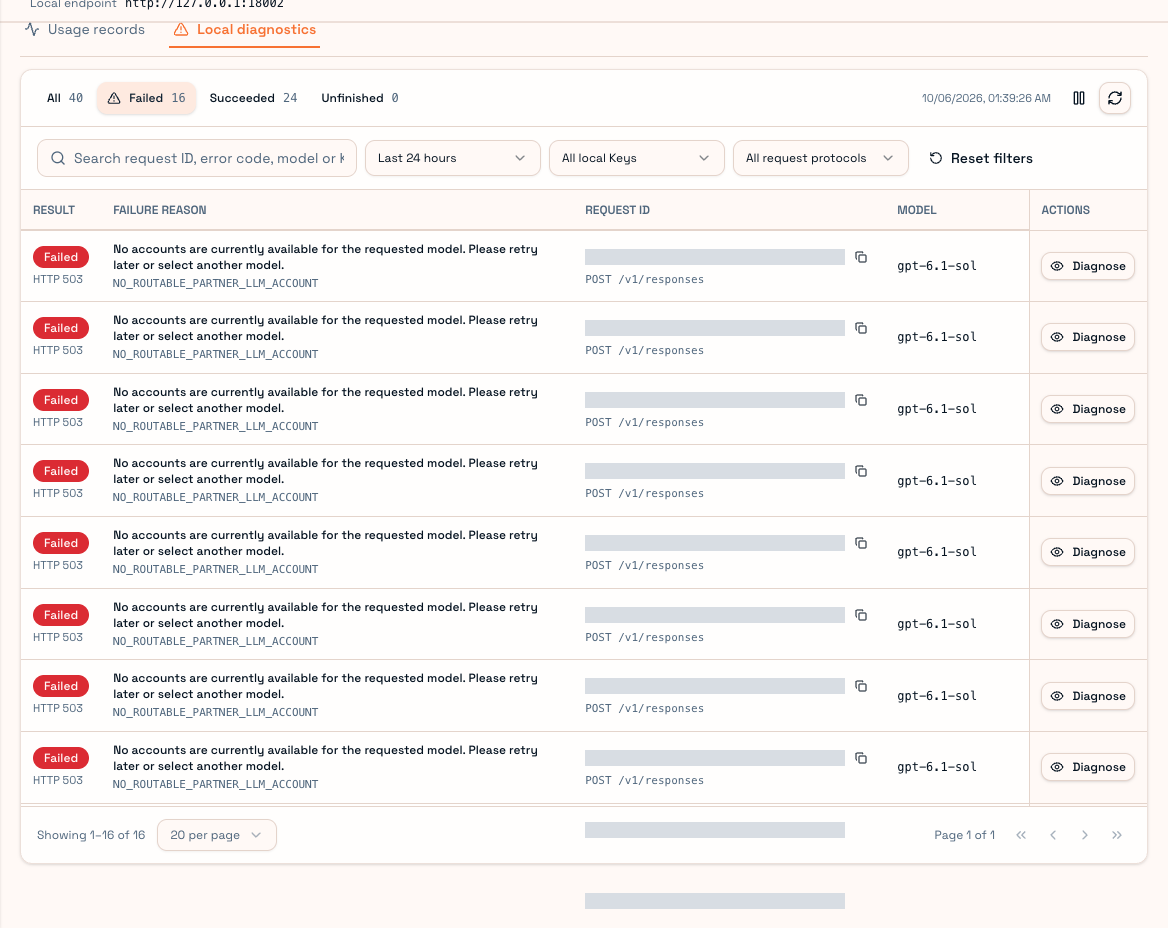
Record the time, model, error message and request ID. If the tool prints a long error, find the matching entry in User Client Usage records or Local diagnostics. Never publish a full key or private prompt.
Check the nearest layer first
- Is the Client running? Your local endpoint needs its service.
- Is the address correct for the tool? OpenAI-compatible tools normally use
/v1; Claude Code uses the root Base URL. - Did the tool receive a local key rather than a platform or Partner key?
- Does the website User API Key have a routing scope?
- Is supply available within the model, tier, price and private-channel restrictions?
- Did TEE verification pass? Resolve version/trust problems rather than disabling verification.
Common failures
| Result | What to check |
|---|---|
| Connection refused or timeout | Client service, port, firewall and address |
| 401 / invalid key | Local key existence and platform key state |
| 409 / missing route configuration | Configure the platform key's routing scope |
| 403 / model or route not allowed | Platform/local model scope and private access |
| 503 / no available account | Model, price ceiling, capacity; retry later |
| Input too long | Final channel input limit; compact the context |
| Upstream busy or limited | Recorded provider error; avoid repeated large retries |
A status can originate upstream. Use both its class and recorded explanation; a 403 alone does not prove an account ban.
No usage entry?
A request rejected locally during authentication, format validation or route preparation may never become a Relay usage record. Check Local diagnostics. Client usage is scoped to this installation; the website can expose a wider scope.
For support, send request ID, exact time, model, tool type, OS and error text. Explain whether the first request failed or an ongoing session stopped. See Pricing policy and Usage records.