

Local keys: create, edit and connect tools
Give tools separate keys and understand scope, configuration export and removal.
Use one key per tool
A local key identifies a tool to User Client. Separate keys for Codex, Claude Code and another editor make naming, restrictions and troubleshooting easier.
Each key belongs to its creating website account and platform key. Switching the Client management account does not transfer existing keys or their request charges.
Create or edit
- Sign in and open Local keys.
- Create local key and enter a useful name.
- Choose providers, public/private scope, models and image specifications.
- Save, inspect usability/model counts, then copy the key.
- Edit an existing key to change its scope; editing preserves its credential value.
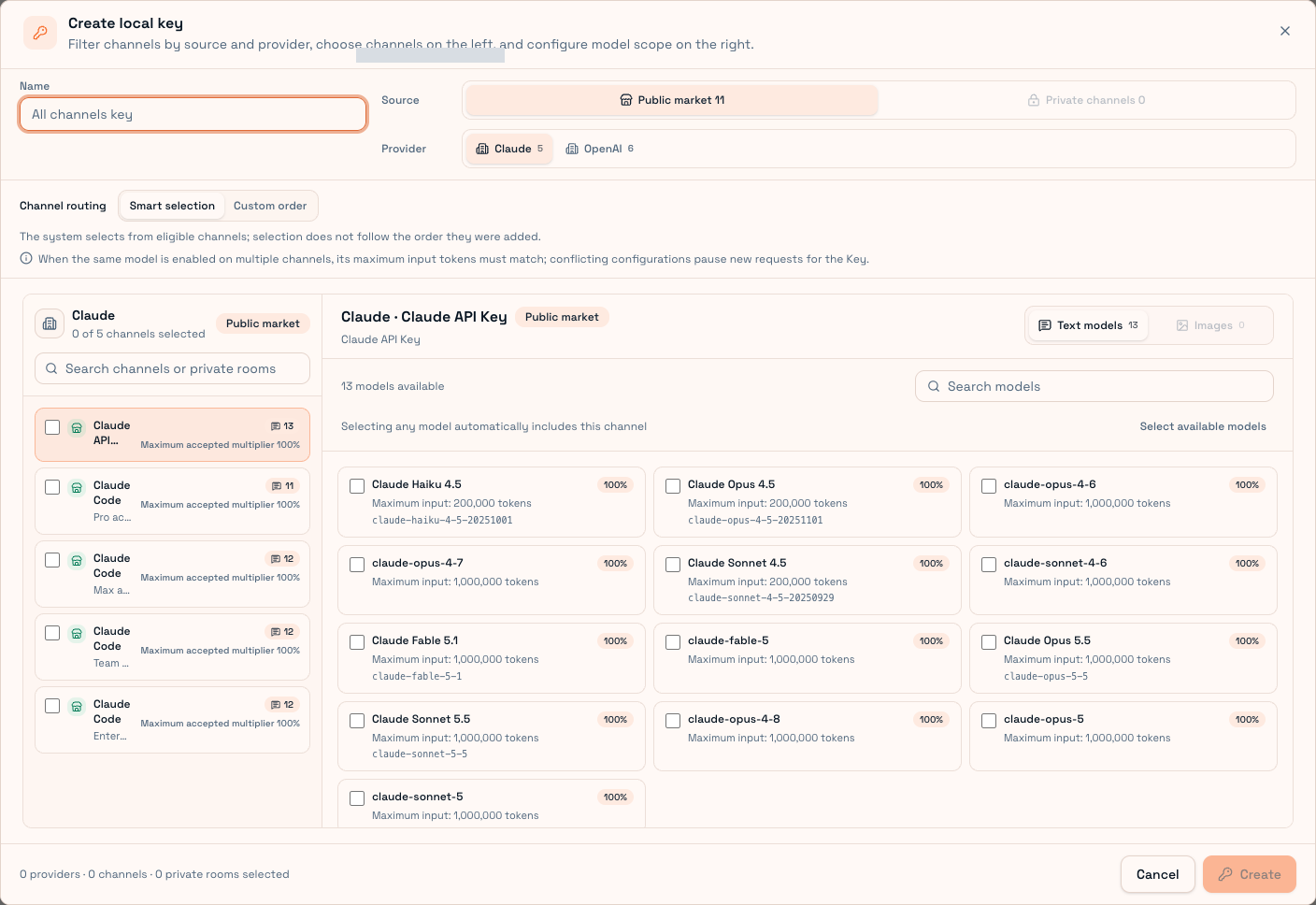
Local policy only narrows platform permissions. It cannot create access to a channel unavailable to the platform key. If synchronization fails, check the website key and platform connection.
Connection actions
| Action | Purpose |
|---|---|
| View configuration | Copy endpoint/model settings into a tool manually |
| Import local Agent | Desktop preview, backup and application of supported local configuration |
| CC Switch | Connect through an installed CC Switch application |
Inspect target file, model and address before import. Preview does not apply changes until confirmed. Codex, Claude Code, Pi and WorkBuddy have supported desktop integration; other tools can use manual setup. Browser-only management lacks some native file permissions.
Removal
Deleting a local key makes tools still using it fail authentication. It does not delete the website key or sign the upstream account out. Update the tool's saved credential after replacement.
Edit restrictions rather than recreating keys unnecessarily. On shared devices, confirm the management account before changing a key.
Send a short request and inspect Usage records. A 401 suggests credential validity, a 403 requires checking both scopes, and a 409 requires checking saved website routing.